
Restaurants portal development
The restaurant industry has evolved dramatically with the advent of digital technology. As dining preferences shift and consumers increasingly rely on online tools to explore dining options, restaurant portals have become essential for both restaurant owners and patrons. A restaurant portal serves as a central platform where users can discover restaurants, make reservations, place orders, and even provide reviews. For restaurant owners, it offers a streamlined way to manage bookings, promotions, and customer interactions.
In this guide, we will explore the intricacies of developing a restaurant portal, including essential features, technical considerations, and strategies for optimizing your platform for search engines (SEO). Whether you’re aiming to build a portal for local dining or aiming for a broader market, this guide will provide the knowledge you need to create a robust and successful restaurant portal.
Understanding Restaurant Portals
A restaurant portal is an online platform designed to connect diners with restaurants. It facilitates various functions such as browsing restaurant listings, making reservations, placing online orders, and accessing reviews. These portals can be standalone websites or integrated into mobile apps, providing users with a seamless dining experience.
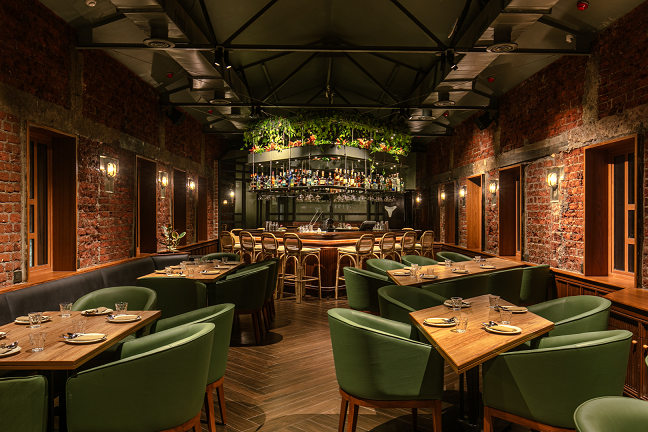
1.1 Key Benefits of Restaurant Portals
- Enhanced Visibility: Restaurants gain increased visibility by being listed on a popular portal, reaching more potential customers.
- Convenient Reservations: Customers can easily book tables, reducing wait times and improving their overall dining experience.
- Online Ordering: Provides a streamlined process for placing orders for takeout or delivery, catering to the growing trend of food delivery services.
- Customer Reviews and Ratings: Customers can leave feedback, helping others make informed decisions and providing restaurants with valuable insights.
- Promotions and Discounts: Restaurants can offer special promotions and discounts, attracting more customers and driving sales.
2. Types of Restaurant Portals
Before embarking on the development of a restaurant portal, it’s important to understand the various types of portals you can create, each catering to different needs and market segments.
2.1 Local Restaurant Portals
These portals focus on dining options within a specific geographic area. They are often tailored to local communities and offer detailed listings of restaurants, including menus, reviews, and reservation options.
Key Features of Local Restaurant Portals:
- Restaurant listings with detailed profiles (menus, hours, location, etc.)
- Search and filter options by cuisine, price range, or location
- Online reservation system
- User-generated reviews and ratings
- Local event and promotion listings
2.2 National or Regional Restaurant Portals
National or regional portals cater to a broader audience, covering multiple cities or states. They offer a wider range of dining options and often include features that cater to travelers and tourists.
Key Features of National/Regional Restaurant Portals:
- Comprehensive restaurant directory with multi-city search capabilities
- Advanced search filters for cuisine, dining style, and amenities
- Integration with travel and accommodation services
- National or regional promotions and deals
- Reviews and ratings from users across different locations
2.3 Specialized Restaurant Portals
Specialized portals focus on specific types of dining experiences, such as fine dining, vegan restaurants, or ethnic cuisines. These portals cater to niche markets and offer features tailored to their audience’s preferences.
Key Features of Specialized Restaurant Portals:
- In-depth profiles of niche dining options
- Specialized search filters (e.g., vegan, gluten-free, gourmet)
- Expert reviews and recommendations
- Community forums or blogs on specific cuisines
- Partnerships with specialty food suppliers or chefs
2.4 Reservation and Ordering Platforms
These portals are designed specifically for managing reservations and online orders. They are often used by restaurants to streamline their booking processes and facilitate online transactions.
Key Features of Reservation/Ordering Platforms:
- Real-time table availability and booking system
- Online ordering for delivery or pickup
- Integration with restaurant POS systems
- Customizable booking forms and order menus
- Payment gateway integration for secure transactions
3. Essential Features of a Restaurant Portal
To create a successful restaurant portal, it’s important to include features that enhance the user experience for both diners and restaurant owners. Here’s a detailed look at the essential features for a comprehensive restaurant portal.
3.1 Restaurant Listings and Profiles
Provide detailed profiles for each restaurant listed on the portal. This information helps users make informed decisions and encourages them to visit or order from the restaurant.
Features:
- Restaurant name, address, and contact information
- Menus with pricing and descriptions
- Photos of the restaurant and dishes
- Operating hours and special features (e.g., outdoor seating, live music)
- Links to social media profiles and website
3.2 Search and Filtering Options
A robust search and filtering system allows users to easily find restaurants that meet their specific criteria. This feature improves user satisfaction by helping them quickly locate dining options that suit their preferences.
Features:
- Search bar with autocomplete suggestions
- Filters for cuisine type, price range, location, and dining style
- Sorting options (e.g., by rating, distance, or price)
- Map view for visualizing restaurant locations
3.3 Online Reservation System
An integrated reservation system enables users to book tables at their chosen restaurants directly through the portal. This feature should be user-friendly and support real-time availability.
Features:
- Real-time table availability and booking options
- Customizable reservation forms (e.g., party size, special requests)
- Confirmation emails or SMS notifications
- Integration with restaurant’s existing reservation system, if applicable
3.4 Online Ordering and Delivery Integration
For restaurants that offer takeout or delivery services, the portal should support online ordering. This feature simplifies the ordering process for customers and helps restaurants manage their orders efficiently.
Features:
- Menu display with options for customization
- Order tracking and status updates
- Payment gateway integration for secure transactions
- Integration with delivery services or in-house delivery management
3.5 User Reviews and Ratings
Allow users to leave reviews and ratings for restaurants they’ve visited or ordered from. This feature provides valuable feedback for restaurants and helps future customers make informed choices.
Features:
- Review submission form with text and rating options
- Display of average ratings and user comments
- Moderation tools for managing reviews and responding to feedback
- Option to report inappropriate reviews
3.6 Promotions and Discounts
Restaurants can attract more customers by offering promotions and discounts through the portal. This feature helps drive sales and increase visibility.
Features:
- Promotion creation and management tools for restaurants
- Display of current deals and special offers
- Integration with email marketing for promotion notifications
- Analytics to track the effectiveness of promotions
3.7 User Profiles and Account Management
Allow users to create and manage their profiles, including preferences, past orders, and reservation history. This feature enhances the user experience by personalizing their interactions with the portal.
Features:
- Account creation and login options
- Profile management with personal details and preferences
- Order and reservation history
- Saved favorite restaurants and reviews
4. Technical Considerations for Restaurant Portal Development
Building a robust and scalable restaurant portal involves several technical considerations. Here’s a detailed look at the key aspects of the development process.
4.1 Frontend Technologies
The frontend of the portal should provide a seamless and engaging user experience. Focus on creating a responsive design that works well on both desktop and mobile devices.
Common Frontend Technologies:
- HTML5, CSS3, and JavaScript: Core technologies for web development.
- React, Angular, or Vue.js: JavaScript frameworks for building interactive and dynamic user interfaces.
- Bootstrap or Materialize: CSS frameworks for responsive design.
- APIs and AJAX: For real-time updates and dynamic content loading.
4.2 Backend Technologies
The backend handles the business logic, data processing, and interactions between the frontend and the database. Choose technologies that offer scalability, performance, and security.
Common Backend Technologies:
- js, Python (Django/Flask), or Ruby on Rails: Popular frameworks for backend development.
- SQL Databases: Such as MySQL or PostgreSQL for structured data.
- NoSQL Databases: Such as MongoDB for handling unstructured data.
- RESTful APIs: For communication between the frontend and backend.
- Cloud Hosting: Solutions like AWS, Azure, or Google Cloud for scalability.
4.3 Security Considerations
Security is crucial for protecting user data and ensuring safe transactions on the portal. Implement robust security measures to safeguard against breaches and fraud.
Security Best Practices:
- SSL/TLS Encryption: For secure data transmission.
- Two-Factor Authentication (2FA): For user account security.
- Data Encryption: Encrypt sensitive data stored in the database.
- Regular Security Audits: Conduct frequent assessments to identify and address vulnerabilities.
- Compliance: Ensure compliance with relevant data protection regulations (e.g., GDPR, CCPA).
4.4 Scalability and Performance
The portal should be designed to handle varying levels of traffic and usage. Scalability ensures that the platform remains performant as the user base grows.
Scalability Solutions:
- Load Balancing: Distribute traffic across multiple servers.
- Microservices Architecture: Allows independent scaling of different components.
- Caching: Use caching mechanisms to improve response times and reduce server load.
- Content Delivery Networks (CDNs): For faster delivery of static assets.



5. SEO Strategies for Restaurant Portals
To attract more users to your restaurant portal, implementing effective SEO strategies is essential. SEO helps improve the visibility of your portal in search engine results, driving more organic traffic.
5.1 Keyword Research
Identify relevant keywords that potential users might search for when looking for restaurant-related information. Use tools like Google Keyword Planner or Ahrefs to find high-volume keywords.
Examples of Keywords:
- “Best restaurants near me”
- “Online restaurant reservations”
- “Top dining spots in [city]”
- “Restaurant reviews and ratings”
5.2 On-Page SEO
Optimize the content on your portal to make it more search-engine-friendly. This includes using keywords strategically and ensuring that each page is well-structured.
On-Page SEO Best Practices:
- Meta Titles and Descriptions: Include relevant keywords and make them engaging.
- Header Tags: Use H1, H2, and H3 tags to structure content and improve readability.
- Image Alt Text: Describe images with relevant keywords to enhance search visibility.
- Internal Linking: Link to other relevant pages within the portal to improve navigation and SEO.
5.3 Technical SEO
Ensure that your portal is technically optimized to support search engine crawling and indexing.
Technical SEO Best Practices:
- Mobile Optimization: Make sure the portal is responsive and works well on mobile devices.
- Page Speed: Improve load times by optimizing images, minifying code, and leveraging caching.
- XML Sitemap: Create and submit an XML sitemap to search engines to help them index your pages.
- Structured Data: Use schema markup to help search engines understand the content of your portal.
5.4 Content Marketing
Create valuable and relevant content to attract and engage users. High-quality content can drive traffic, build authority, and generate backlinks.
Content Ideas:
- Restaurant reviews and recommendations
- Guides on dining trends and culinary experiences
- Interviews with chefs and restaurateurs
- Food-related news and articles
5.5 Link Building
Build high-quality backlinks from reputable websites to improve your portal’s authority and search engine rankings. Focus on acquiring links from industry-related sites, food bloggers, and local business directories.
Link Building Strategies:
- Guest Blogging: Write articles for other websites and include links back to your portal.
- Local Listings: Ensure your portal is listed in local business directories and review sites.
- Partnerships: Collaborate with restaurants, food influencers, and industry associations to gain backlinks.

Developing a restaurant portal involves a combination of strategic planning, technical expertise, and user-focused design. By incorporating essential features, adhering to best practices in development and security, and implementing effective SEO strategies, you can create a platform that enhances the dining experience for users and supports restaurant owners in managing their operations. Continuous innovation and adaptation to industry trends will help maintain the relevance and success of your restaurant portal in an ever-evolving market.

